
About Dead Rising 3 Apocalypse Edition
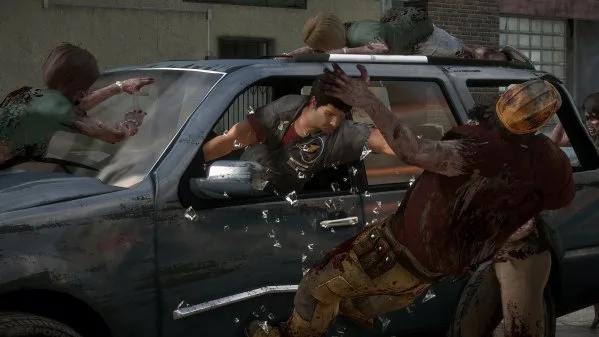
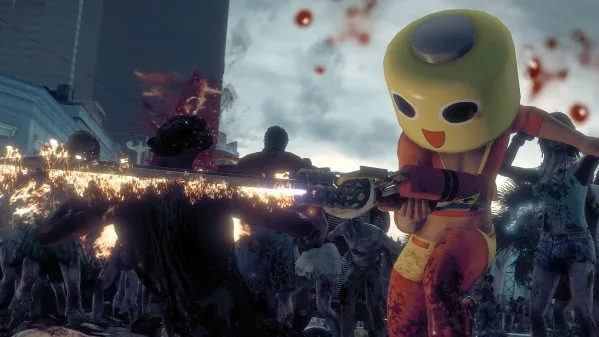
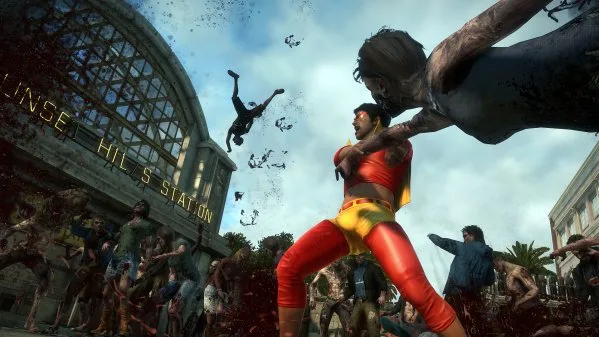
Set 10 years after the events in Fortune City players are taken to the massive open and infected world of Los Perdidos while being immersed in action and stunning visuals. Fully optimized to run at a high resolution, the PC release includes full Steam and game controller support. The zombies are smarter and deadlier than ever with intelligent AI and shared awareness forcing players to employ all their cunning skills and creativity to stay alive.FEATURES:Hundreds of unique combo weapons and vehicles – Combine and customize hundreds of pieces found throughout the sandbox world including the gruesome Boom Cannon weapon or the Party Slapper vehicle.Face the horror alone or with a friend – Join forces with a friend for endless zombie killing mayhem and earn experience points that carry back to your single player experience.Bonus Downloadable Content – All four of the “Untold Stories of Los Perdidos” downloadable add-on packs are now included. Each add-on chapter focuses on a different protagonist and gives players access to crazy new weapons and vehicles that carry over to the main game. Recommended For You: If you enjoy this game, also check out ZERO PARADES: For Dead Spies (v1.1.39447) and The Dead Thread (v2026.04.23 & ALL DLC) and Rising Army (v1.0) for more top-rated gameplay. Looking for more top titles? Explore our complete rankings in the Best Open World Games guide.

Key Features & Highlights
- Full Pre-Installed Release: Ready to play immediately upon extraction—no third-party setup or installer required.
- All Latest Updates & Patches: Fully updated to the latest build with performance optimizations, bug fixes, and bonus content.
- Dynamic Open World Gameplay: Deep progression systems, responsive mechanics, and varied difficulty curves.
- High-Fidelity Audio & Visuals: Polished textures, smooth framerates, and rich sound design optimized for modern PC hardware.
- Verified Clean & Safe: 100% verified files free from bloatware, spyware, or intrusive background processes.
Instructions
- Click the Download button below and you will be redirected to UploadHaven.
- Wait 5 seconds and click on the blue ‘download now’ button. We recommend using a download manager (such as FDM) for maximum download speeds.
- Once the game is finished downloading, right click the .zip archive and click on “Extract to Dead Rising 3 Apocalypse Edition Build 751305.zip” using 7-Zip.
- Double click inside the extracted folder and run the setup application or executable as Administrator. Enjoy playing!
Dead Rising 3 Apocalypse Edition Free Download (Build 751305)
Dead Rising 3 Apocalypse Edition (Build 751305)
Size: 26.8 GB
Reminder: This download is completely free and won't cost you a penny. However, If you love the game and want to purchase it, you can support the developers by doing so here.
System Requirements
- Requires a 64-bit processor and operating system
- OS: Windows 10, 11 (64-bit)
- Processor: Intel Core i5-10400 / AMD Ryzen 5 3600
- Memory: 16 GB RAM
- Graphics: NVIDIA GeForce GTX 1660 Super / AMD Radeon RX 5600 XT
- DirectX: Version 12
- Storage: 26.8 GB available space
Screenshots

Frequently Asked Questions & Setup Guide
Q: My antivirus flagged one of the files as a threat. Is this game safe?
A: Yes, all files on our site are 100% verified clean. Antivirus software may occasionally flag steam_api.dll or crack files as false positives due to modified game binaries. Temporarily whitelist the game directory before extracting.
Q: I get a missing DLL error (e.g., VCRUNTIME140.dll, MSVCP140.dll, or D3DCOMPILER). How do I fix it?
A: Missing DLL errors indicate missing Windows system libraries. Ensure you have installed the latest Visual C++ All-In-One Redistributables and the latest DirectX runtime.
Q: Where are my game save files located?
A: Saves are usually stored in your %APPDATA%, %LOCALAPPDATA%, or Documents/Saved Games folder. Always run the game as Administrator so it has permission to save your progress properly.
Q: Can I play online or multiplayer with friends?
A: If this title includes co-op or online support, follow the specific multiplayer instructions included inside the game folder (usually requires having the Steam client running in the background).