



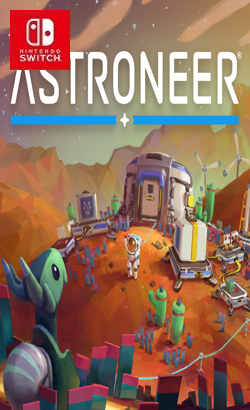
0100E63013E60000Explore and Reshape Distant Worlds! Astroneer is set during the 25th century Intergalactic Age of Discovery, where Astroneers explore the frontiers of outer space, risking their lives in harsh environments to unearth rare discoveries and unlock the mysteries of the universe. On this adventure, players can work together to build custom bases above or below ground, create vehicles to explore a vast solar system, and use terrain to create anything they can imagine. A player’s creativity and ingenuity are the key to seeking out and thriving while on exciting planetary adventures! In Astroneer you can: •Reshape the ground under your feet as though it were made of clay.
Update 1.44.3.0 (v2293760)
Please report any broken/dead/missing links in the comment section.
Installation & Setup Guide
Option 1: Installing on Nintendo Switch (Atmosphere CFW)
- Download all game archive parts from the mirrors above into a single folder on your PC.
- Extract
part1.rar(or the single archive) using 7-Zip to get the.nsp,.nsz, or.xcifile. - Connect your Nintendo Switch to your computer with a USB-C cable and launch DBI on the console.
- Select Run MTP Responder in DBI, then drag-and-drop the ROM file into the MicroSD install drive.
- Wait for the install bar to reach 100%, disconnect the USB cable, and launch the game from the Switch Home Menu!
Option 2: Playing on PC / Android (Ryujinx, Sudachi, or Suyu Emulator)
- Download and extract the game archive to obtain the
.nspor.xcifile. - Open your Switch emulator (such as Ryujinx or Sudachi) and ensure your
prod.keysand firmware are updated to the required version. - Click File > Load Application (or configure your game directory) and select the game file.
- Configure your controller under Input settings and start playing!


Explore the complete catalog in our Nintendo Switch Games and Full Game Index.















