



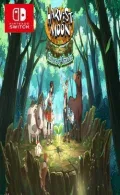
0100839022642000Embark on an unforgettable journey through the enchanting world of Teradea, where peaceful farm life meets thrilling adventure! Raised in the quiet comfort of Bloomfield Village, your life is about to change forever. A mysterious mist creeps from the Forest of Echoes, wild beasts roam under the cover of night, and strange disasters threaten villages across the land. Venture across a vast, living landscape filled with hidden caves, remote islands, lively towns, and long-forgotten secrets. Between your travels, cultivate your farm, raise animals, harvest crops, and build a place to call home.
Update 1.2.0 (v131072)
Please report any broken/dead/missing links in the comment section.
Installation & Setup Guide
Option 1: Installing on Nintendo Switch (Atmosphere CFW)
- Download all game archive parts from the mirrors above into a single folder on your PC.
- Extract
part1.rar(or the single archive) using 7-Zip to get the.nsp,.nsz, or.xcifile. - Connect your Nintendo Switch to your computer with a USB-C cable and launch DBI on the console.
- Select Run MTP Responder in DBI, then drag-and-drop the ROM file into the MicroSD install drive.
- Wait for the install bar to reach 100%, disconnect the USB cable, and launch the game from the Switch Home Menu!
Option 2: Playing on PC / Android (Ryujinx, Sudachi, or Suyu Emulator)
- Download and extract the game archive to obtain the
.nspor.xcifile. - Open your Switch emulator (such as Ryujinx or Sudachi) and ensure your
prod.keysand firmware are updated to the required version. - Click File > Load Application (or configure your game directory) and select the game file.
- Configure your controller under Input settings and start playing!
Looking for more top-rated recommendations? Check out our complete guide to the Best Switch Games / EShop NSPs / Latest.


Explore the complete catalog in our Nintendo Switch Games and Full Game Index.















