



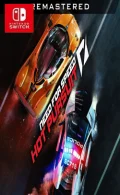
010029B0118E8000Feel the thrill of the chase and the rush of escape in Need for Speed™ Hot Pursuit Remastered on Nintendo Switch™ . Unleash a savage sense of speed both as an outlaw and a cop in the world’s hottest high-performance cars. Outsmart the heat or take down lawbreakers with the tactical weaponry at your disposal in a heart-pumping, socially competitive racing experience. Updated with enhanced visuals, cross-platform multiplayer – including the asynchronous competition powered by Autolog – plus all additional main DLC, this is the ultimate edition of Criterion Games’ critically acclaimed Need for Speed debut. It’s time to reignite the pursuit.
Update 1.0.3 (v196608)
Please report any broken/dead/missing links in the comment section.
Installation & Setup Guide
Option 1: Installing on Nintendo Switch (Atmosphere CFW)
- Download all game archive parts from the mirrors above into a single folder on your PC.
- Extract
part1.rar(or the single archive) using 7-Zip to get the.nsp,.nsz, or.xcifile. - Connect your Nintendo Switch to your computer with a USB-C cable and launch DBI on the console.
- Select Run MTP Responder in DBI, then drag-and-drop the ROM file into the MicroSD install drive.
- Wait for the install bar to reach 100%, disconnect the USB cable, and launch the game from the Switch Home Menu!
Option 2: Playing on PC / Android (Ryujinx, Sudachi, or Suyu Emulator)
- Download and extract the game archive to obtain the
.nspor.xcifile. - Open your Switch emulator (such as Ryujinx or Sudachi) and ensure your
prod.keysand firmware are updated to the required version. - Click File > Load Application (or configure your game directory) and select the game file.
- Configure your controller under Input settings and start playing!


Explore the complete catalog in our Nintendo Switch Games and Full Game Index.















