



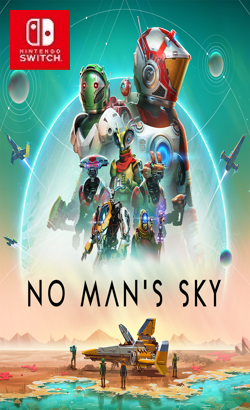
0100853015E86000Inspired by the adventure and imagination that we love from classic science-fiction, No Man’s Sky presents you with a galaxy to explore, filled with unique planets and lifeforms, and constant danger and action. In No Man’s Sky, every star is the light of a distant sun, each orbited by planets filled with life, and you can go to any of them you choose. Fly smoothly from deep space to planetary surfaces, with no loading screens, and no limits. In this infinite procedurally generated universe, you’ll discover places and creatures that no other players have seen before – and perhaps never will again. Embark on an epic voyage At the centre of the galaxy lies a irresistible pulse which draws you on a journey towards it to learn the true nature of the cosmos.
Update 7.0.0 (v5111808)
Please report any broken/dead/missing links in the comment section.
Installation & Setup Guide
Option 1: Installing on Nintendo Switch (Atmosphere CFW)
- Download all game archive parts from the mirrors above into a single folder on your PC.
- Extract
part1.rar(or the single archive) using 7-Zip to get the.nsp,.nsz, or.xcifile. - Connect your Nintendo Switch to your computer with a USB-C cable and launch DBI on the console.
- Select Run MTP Responder in DBI, then drag-and-drop the ROM file into the MicroSD install drive.
- Wait for the install bar to reach 100%, disconnect the USB cable, and launch the game from the Switch Home Menu!
Option 2: Playing on PC / Android (Ryujinx, Sudachi, or Suyu Emulator)
- Download and extract the game archive to obtain the
.nspor.xcifile. - Open your Switch emulator (such as Ryujinx or Sudachi) and ensure your
prod.keysand firmware are updated to the required version. - Click File > Load Application (or configure your game directory) and select the game file.
- Configure your controller under Input settings and start playing!


Explore the complete catalog in our Nintendo Switch Games and Full Game Index.















