



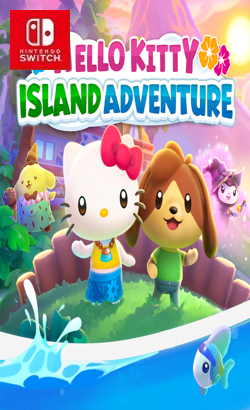
010027901C89C000• Discover eight unique regions, from the ocean’s depths to an island in the clouds •Befriend iconic characters like cheerful Hello Kitty, mischievous Kuromi, and sweet Cinnamoroll • Bake, cook, and craft the perfect gifts to become best friends • Renovate cabins and decorate them to attract even more wonderful characters • Create your perfect avatar, find and customize hundreds of outfits tailored to you, and create and collect furniture to achieve your dream home aesthetic • Celebrate the joys of summertime, the winter holidays, and more with a year round calendar of events. And don’t forget to throw birthday parties for your friends • Solve hidden puzzles, catch cute critters, and garden to fill the world with flowers •Dive into a multiplayer game with real-world friends and family: team up to explore, get bonuses, and take sweet snapshots together
Update 2.17.2 (v1310720)
Update 2.18.1 (v1376256)
Please report any broken/dead/missing links in the comment section.
Installation & Setup Guide
Option 1: Installing on Nintendo Switch (Atmosphere CFW)
- Download all game archive parts from the mirrors above into a single folder on your PC.
- Extract
part1.rar(or the single archive) using 7-Zip to get the.nsp,.nsz, or.xcifile. - Connect your Nintendo Switch to your computer with a USB-C cable and launch DBI on the console.
- Select Run MTP Responder in DBI, then drag-and-drop the ROM file into the MicroSD install drive.
- Wait for the install bar to reach 100%, disconnect the USB cable, and launch the game from the Switch Home Menu!
Option 2: Playing on PC / Android (Ryujinx, Sudachi, or Suyu Emulator)
- Download and extract the game archive to obtain the
.nspor.xcifile. - Open your Switch emulator (such as Ryujinx or Sudachi) and ensure your
prod.keysand firmware are updated to the required version. - Click File > Load Application (or configure your game directory) and select the game file.
- Configure your controller under Input settings and start playing!


Explore the complete catalog in our Nintendo Switch Games and Full Game Index.















