



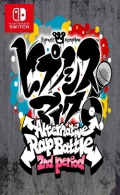
010045F01E188000Time has passed since the Central Ward–hosted Alternative Rap Battle, and peaceful days have returned even to the Eastern Capital, where various incidents once occurred. Amid this, a certain rumor begins to spread across the internet, particularly among the youth. A mysterious charm said to bring “good things” to those who possess it—”Charm”. Higher test scores, meeting one’s destined partner, becoming immensely wealthy… People seeking happiness begin to flock to the “Charm”, gradually growing more extreme in their actions.
Base Game XCI (12.6 GB)
Please report any broken/dead/missing links in the comment section.
Installation & Setup Guide
Option 1: Installing on Nintendo Switch (Atmosphere CFW)
- Download all game archive parts from the mirrors above into a single folder on your PC.
- Extract
part1.rar(or the single archive) using 7-Zip to get the.nsp,.nsz, or.xcifile. - Connect your Nintendo Switch to your computer with a USB-C cable and launch DBI on the console.
- Select Run MTP Responder in DBI, then drag-and-drop the ROM file into the MicroSD install drive.
- Wait for the install bar to reach 100%, disconnect the USB cable, and launch the game from the Switch Home Menu!
Option 2: Playing on PC / Android (Ryujinx, Sudachi, or Suyu Emulator)
- Download and extract the game archive to obtain the
.nspor.xcifile. - Open your Switch emulator (such as Ryujinx or Sudachi) and ensure your
prod.keysand firmware are updated to the required version. - Click File > Load Application (or configure your game directory) and select the game file.
- Configure your controller under Input settings and start playing!
Looking for more top-rated recommendations? Check out our complete guide to the Best Switch Games / XCI.


Explore the complete catalog in our Nintendo Switch Games and Full Game Index.















