



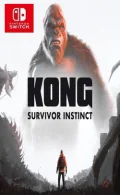
0100D400244D4000Kong: Survivor Instinct is a 2.5D action-adventure game that combines realistic platforming, challenging combat, and metroidvania-style exploration during a thrilling quest of survival worthy of the Monsterverse franchise. TRUE MONSTERVERSE ADVENTURE A sudden Titan attack prompts massive evacuation efforts-but not everyone makes it to safety before the devastation ensues. Caught in the crossfire between battling monsters, many residents become trapped in the collapsing city—your only daughter among them! Influence the Titans with Monarch tech and use their enormous strength to your advantage as you navigate a treacherous maze of collapsing buildings, toxic leaks, and raging fires. Scavenge for resources, weapons, and tools to solve environmental puzzles and defend yourself against both human and monster enemies.
Please report any broken/dead/missing links in the comment section.
Installation & Setup Guide
Option 1: Installing on Nintendo Switch (Atmosphere CFW)
- Download all game archive parts from the mirrors above into a single folder on your PC.
- Extract
part1.rar(or the single archive) using 7-Zip to get the.nsp,.nsz, or.xcifile. - Connect your Nintendo Switch to your computer with a USB-C cable and launch DBI on the console.
- Select Run MTP Responder in DBI, then drag-and-drop the ROM file into the MicroSD install drive.
- Wait for the install bar to reach 100%, disconnect the USB cable, and launch the game from the Switch Home Menu!
Option 2: Playing on PC / Android (Ryujinx, Sudachi, or Suyu Emulator)
- Download and extract the game archive to obtain the
.nspor.xcifile. - Open your Switch emulator (such as Ryujinx or Sudachi) and ensure your
prod.keysand firmware are updated to the required version. - Click File > Load Application (or configure your game directory) and select the game file.
- Configure your controller under Input settings and start playing!
Looking for more top-rated recommendations? Check out our complete guide to the Best Switch Games / EShop NSPs.


Explore the complete catalog in our Nintendo Switch Games and Full Game Index.















